Industry
Banking and telecommunications
Tagging Panel {Faster training of language models}
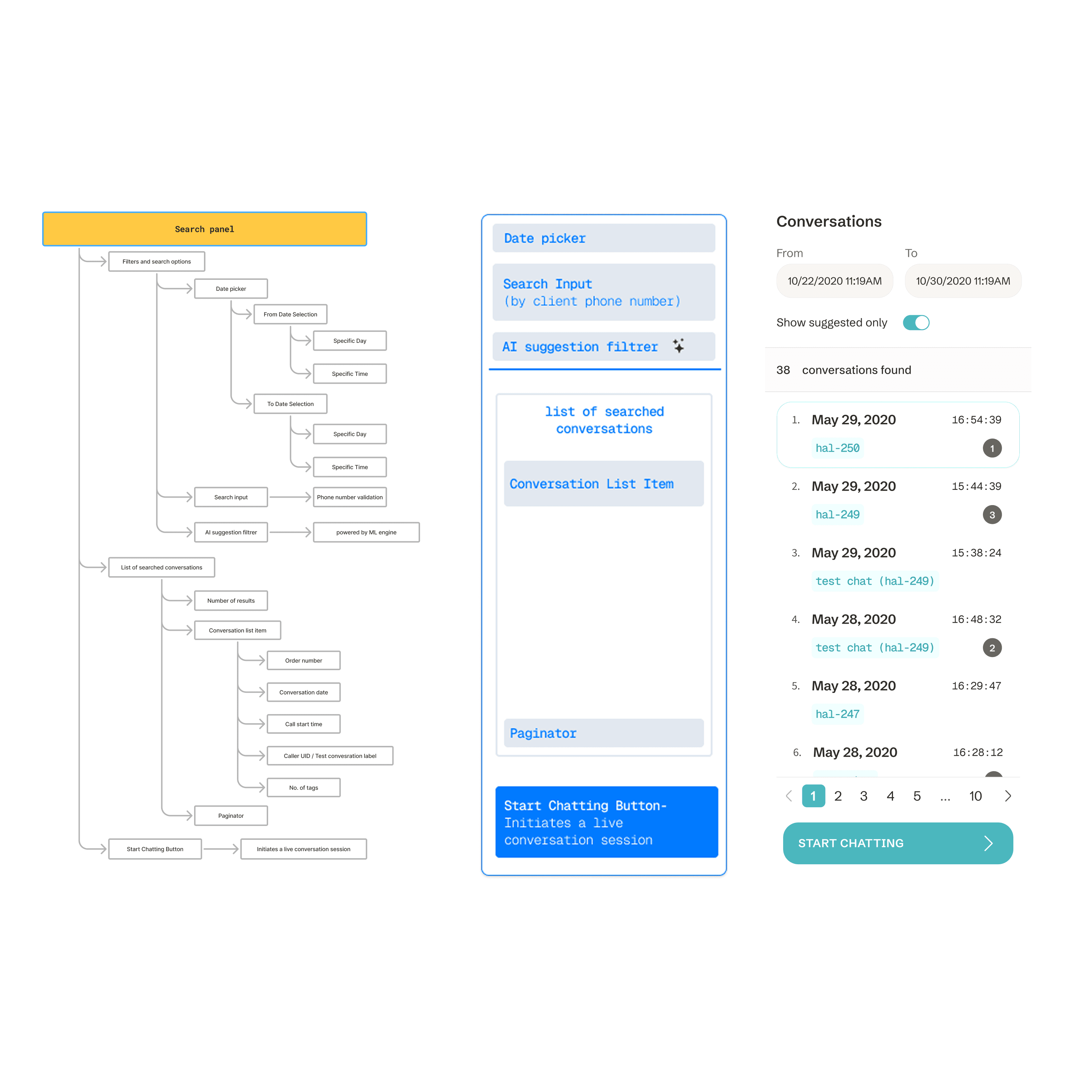
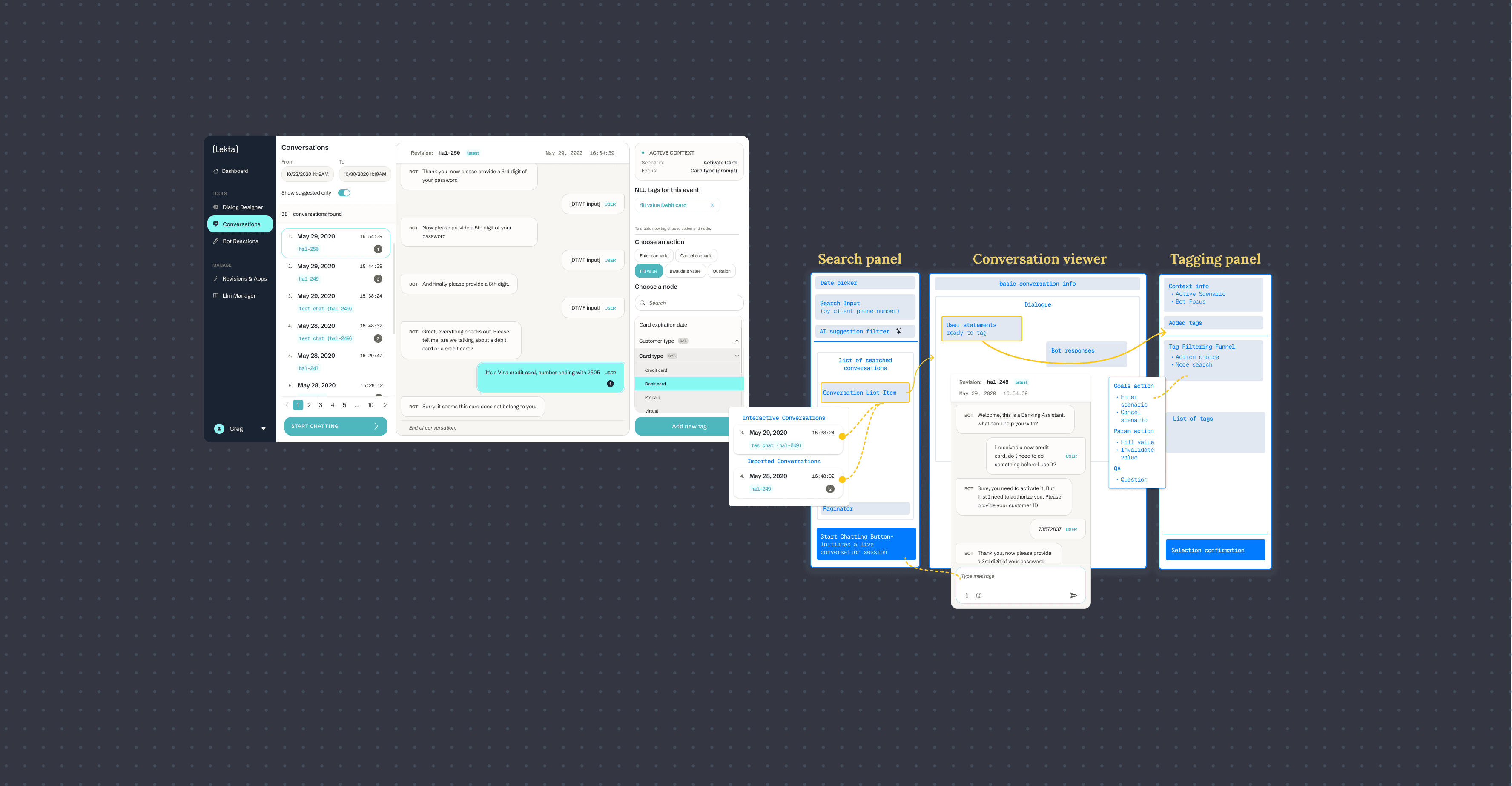
Tagging Panel is a sub-module of Conversations — Lekta’s internal tool for reviewing and managing bot<-->user interactions.
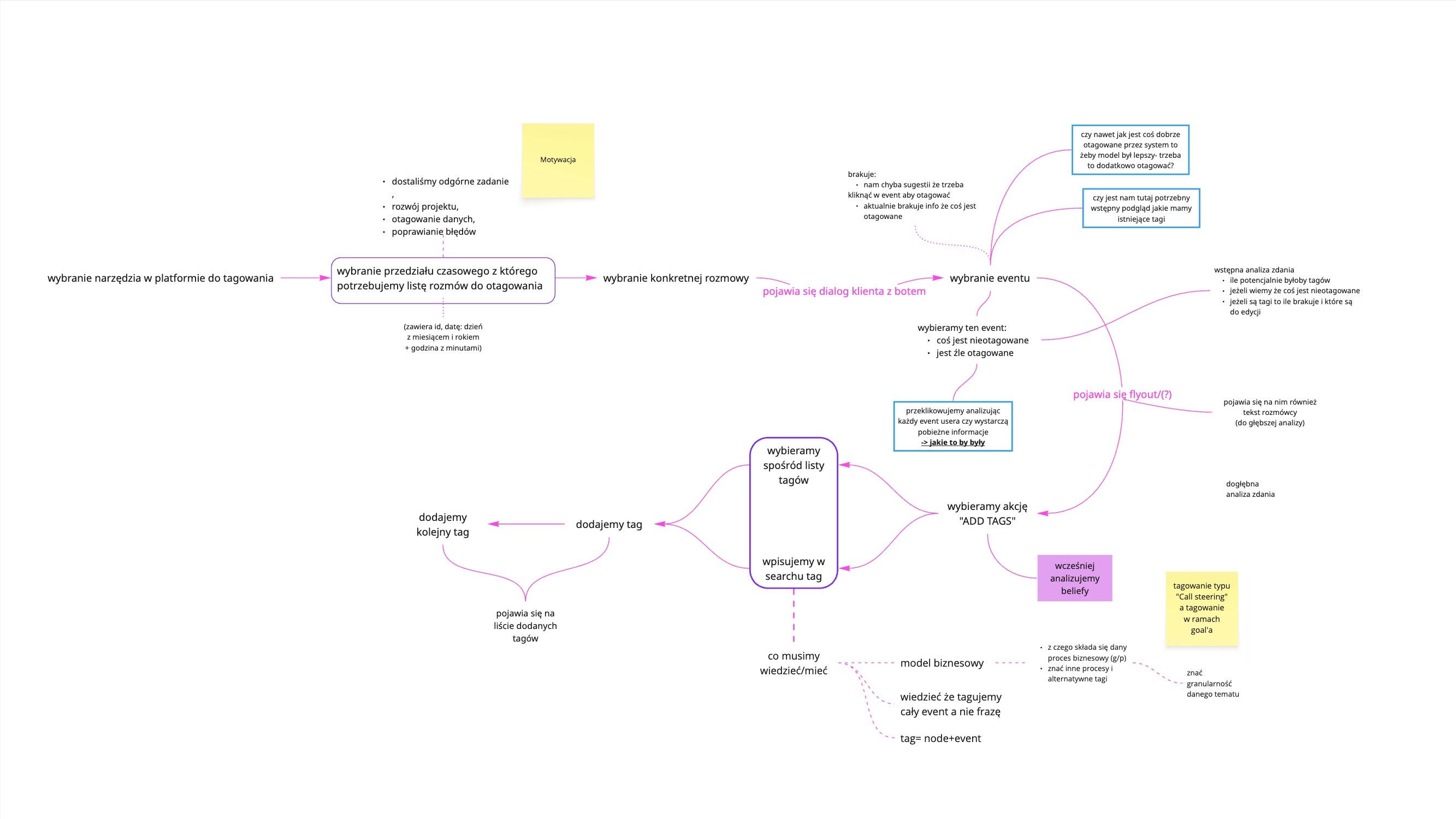
As part of the broader AI platform, it helps teams label real conversations to improve model training. I redesigned it to boost clarity, consistency, and efficiency at scale. The previous tagging view was based on a flyout that obscured the content of the conversation. The lack of tag organization and inconsistent layout made analysis difficult. The panel and information architecture needed to be reorganized so that it would not distract the user during analysis.
Users & Audience
Data annotators
they annotated training data every day and needed a faster, more consistent process.
AI researchers
analyzed tagging results and assessed the impact of data quality on the model.
UX designers & PMs
monitored the progress and quality of annotation to predict the impact of changes on model performance.
R&D team
used tagging results in experiments to improve the intent recognition component.
Roles & Responsibilites
Redesigned key views and components of the Tagging Panel to improve clarity and usability.
Rebuilt layout logic and removed UX debt (e.g. flyout) for better annotation workflows.
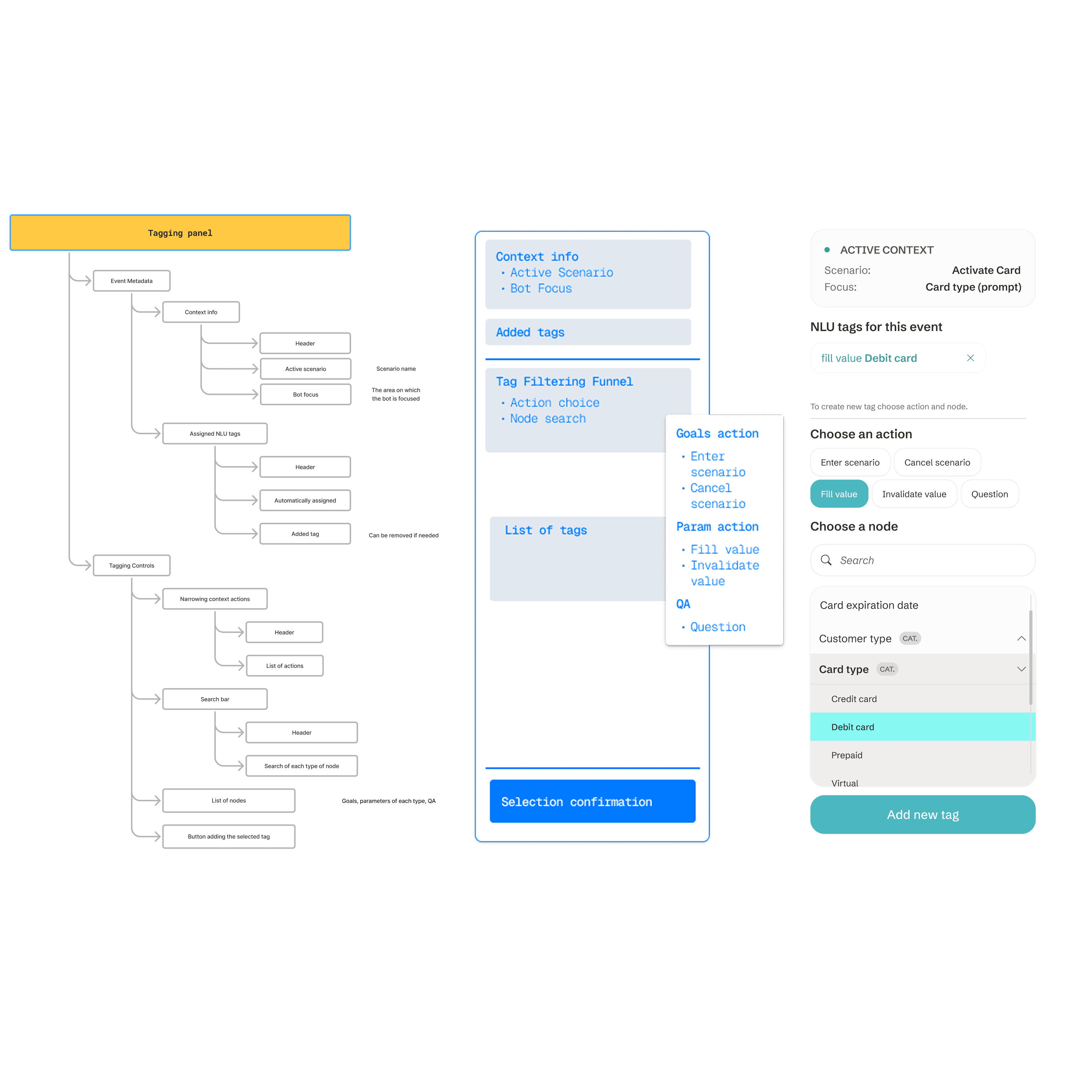
Created a new searchable tag list with categories and reusable UI components.
Collaborated with CTO, ML engineers, and annotation teams to align UI with backend logic and user needs.
Ensured consistency with other tools in typography, patterns, and interaction behavior.
Scope & Constraints
Time: ~1 month
Constraints:
Backend node structure,
Compliance with the platform's design system,
Lack of immediate feedback from end users
The rigid panel architecture limited layout and interaction flexibility
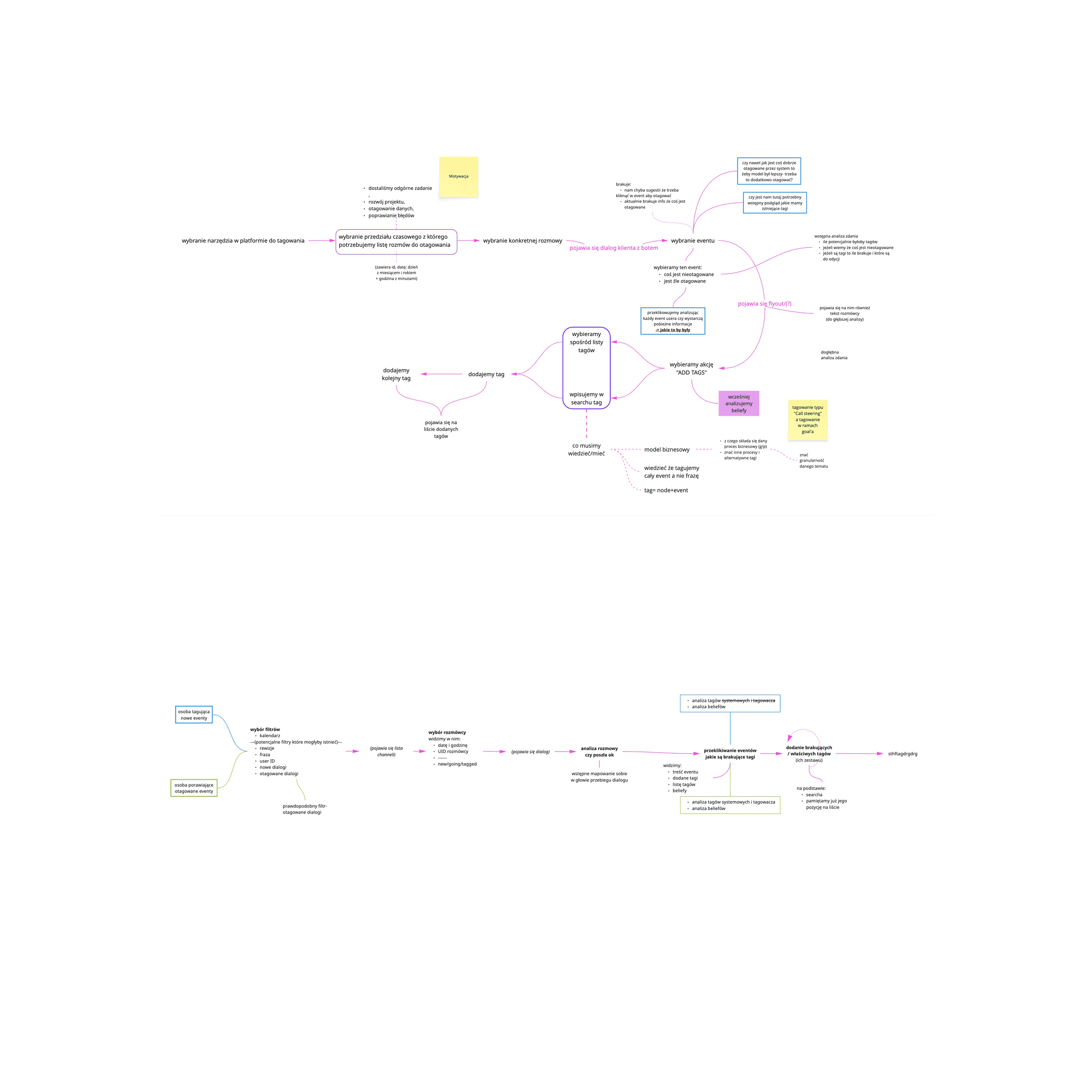
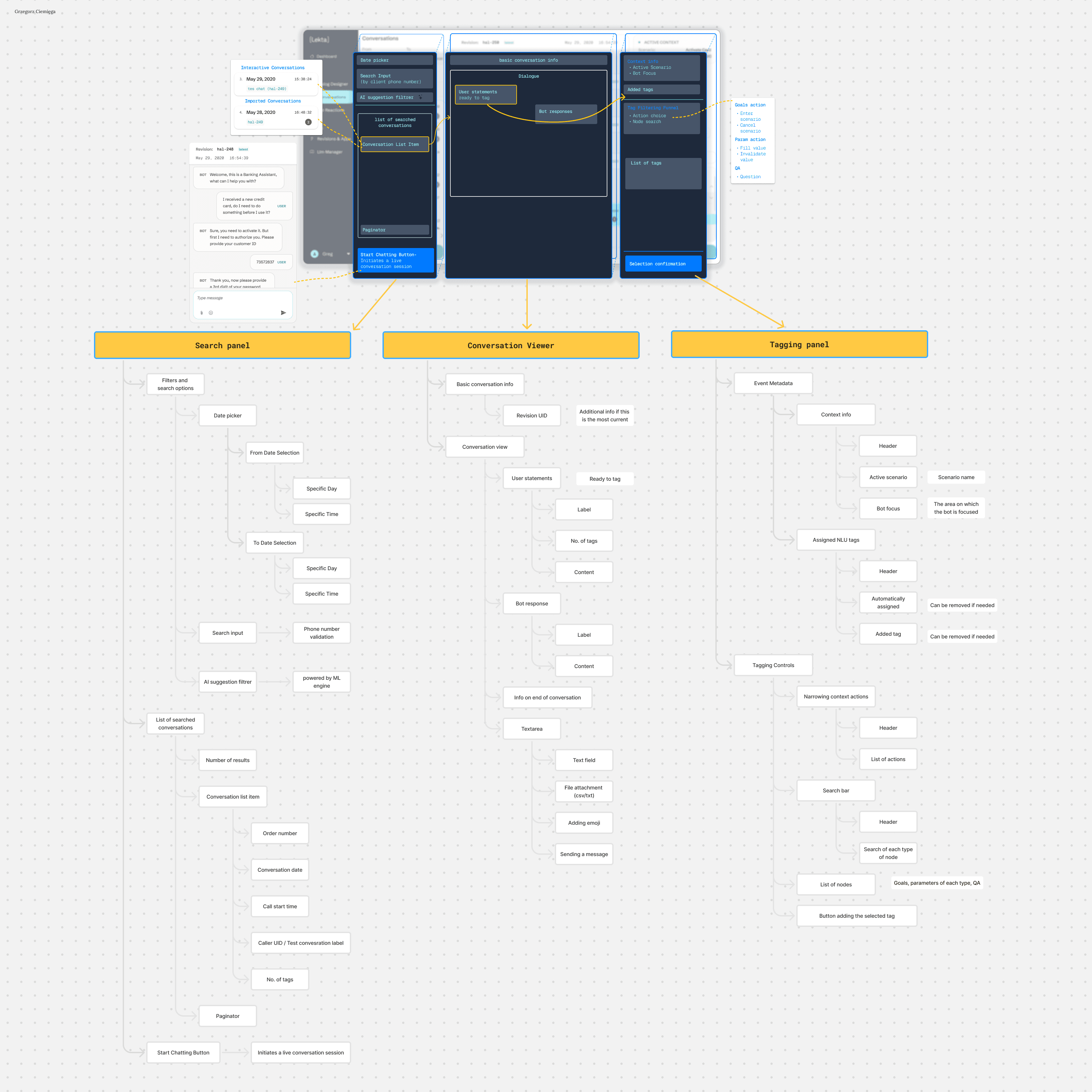
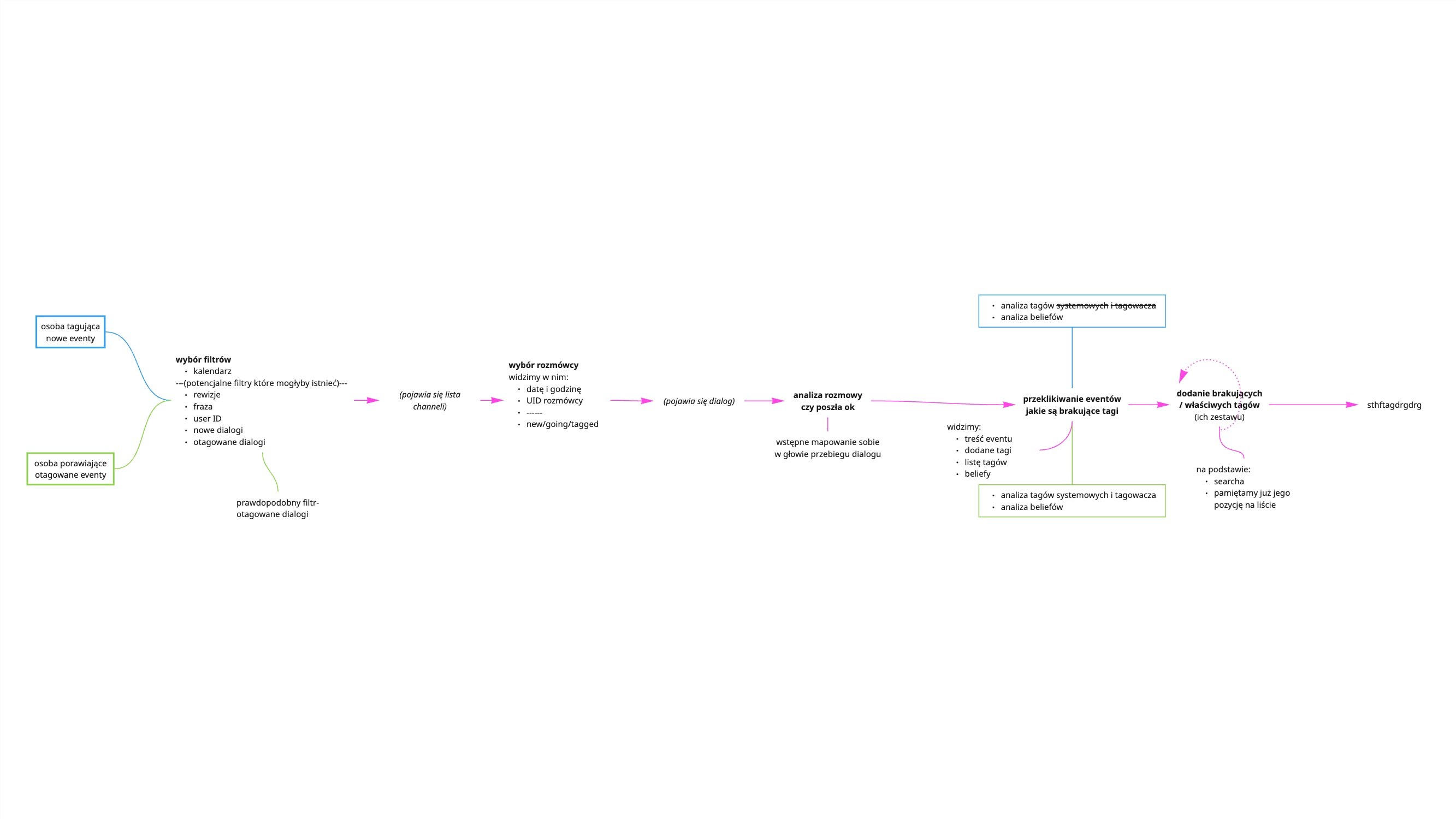
Started by auditing the existing MVP to identify key UX problems and platform inconsistencies.
The main issue was the tagging flyout, which covered the conversation view and broke user context.
Collaborated with the CTO and backend devs to understand tag structure, data nodes, and system limitations.
Redesigned the layout with a side panel, categorized tag list, and a shared search component used across tools.
Improved information hierarchy and visual grouping to support tagging in larger bots.
Delivered a full prototype and final UI, and supported devs during implementation to match real data logic.
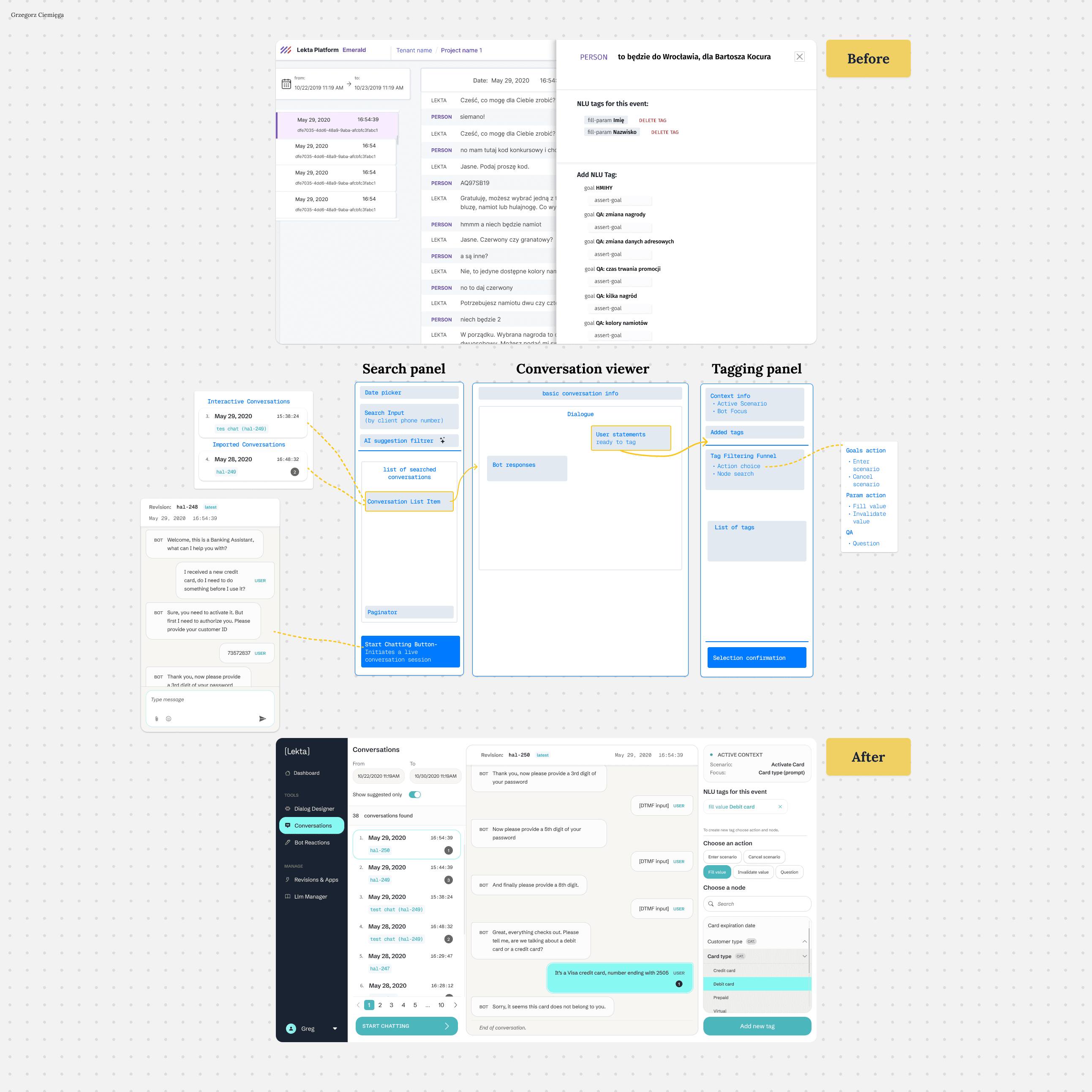
The project increased the readability of the interface, simplified the flow, and unified the experience across tools. We also used the components created here in other parts of the platform.
I gained a better understanding of the typology of conversational processes and how users search through large amounts of data — which later influenced other design decisions on the platform.